TRI-MODE GAMING MOUSE

M3 PRO

A 55 g full-size symmetrical tri-mode mouse with PAW3395 tracking, 26,000 DPI, a 500 mAh battery and programmable controls.

26,000 DPI55 gPAW3395
Dimensions
129.5 × 66.2 × 39.6 mm
Weight
Approximately 55 g
Connection modes
Bluetooth 5.0 / 2.4 GHz wireless / wired USB-C
Colours
Purple / White / Black

B2B supply: initial production orders start at 1,000 units. Samples are available for evaluation; configuration, charges and lead time are confirmed for each project.

M3 PRO

Colours & model views

Compare finishes and angles for this model.

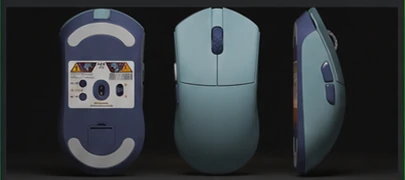
M3 PRO — Purple · three angles — Purple

M3 PROPurple

Purple · three angles

Finish shown
Purple
Available colours
Purple / White / Black
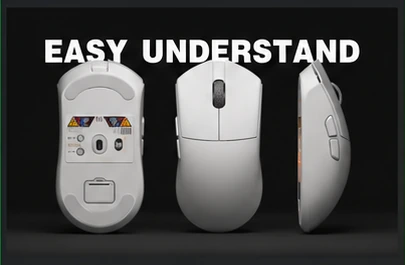
M3 PRO — White · three angles — White

M3 PROWhite

White · three angles

Finish shown
White
Available colours
Purple / White / Black
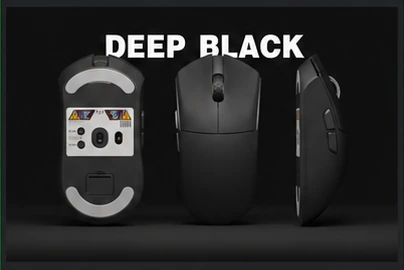
M3 PRO — Black · three angles — Black

M3 PROBlack

Black · three angles

Finish shown
Black
Available colours
Purple / White / Black

M3 PRO

Shape, materials & comfort

Body proportions, grip and the construction beneath the shell.
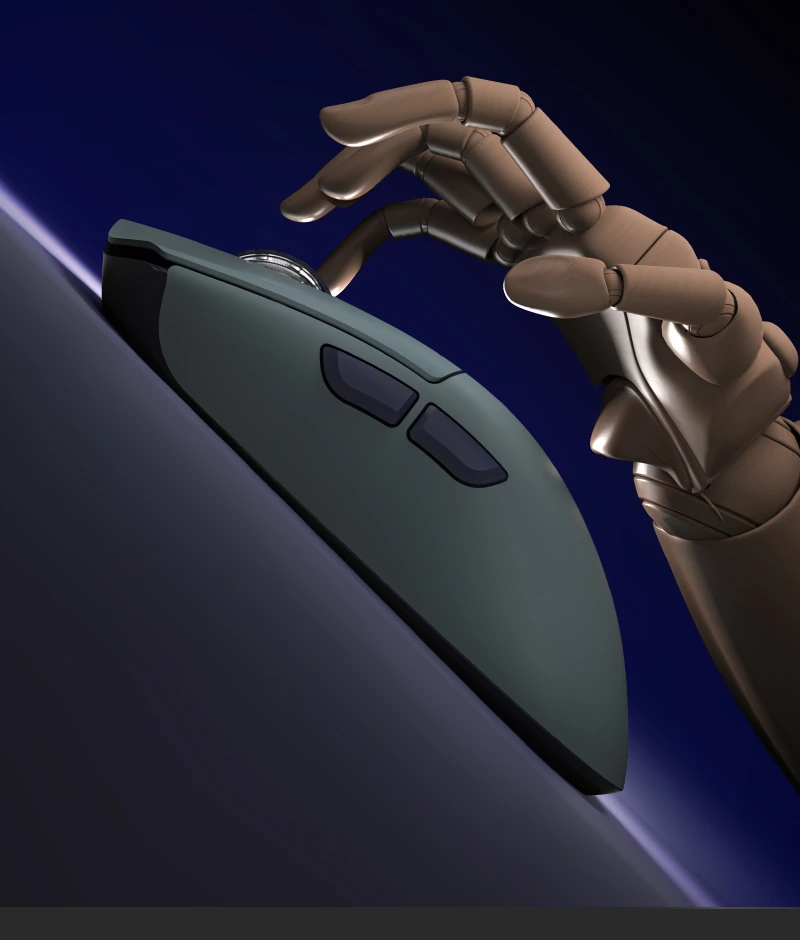
M3 PRO — Full-size body and grip — Purple

M3 PROPurple

Full-size body and grip

Dimensions
129.5 × 66.2 × 39.6 mm
Weight
Approximately 55 g
Shape
Full-size symmetrical solid shell
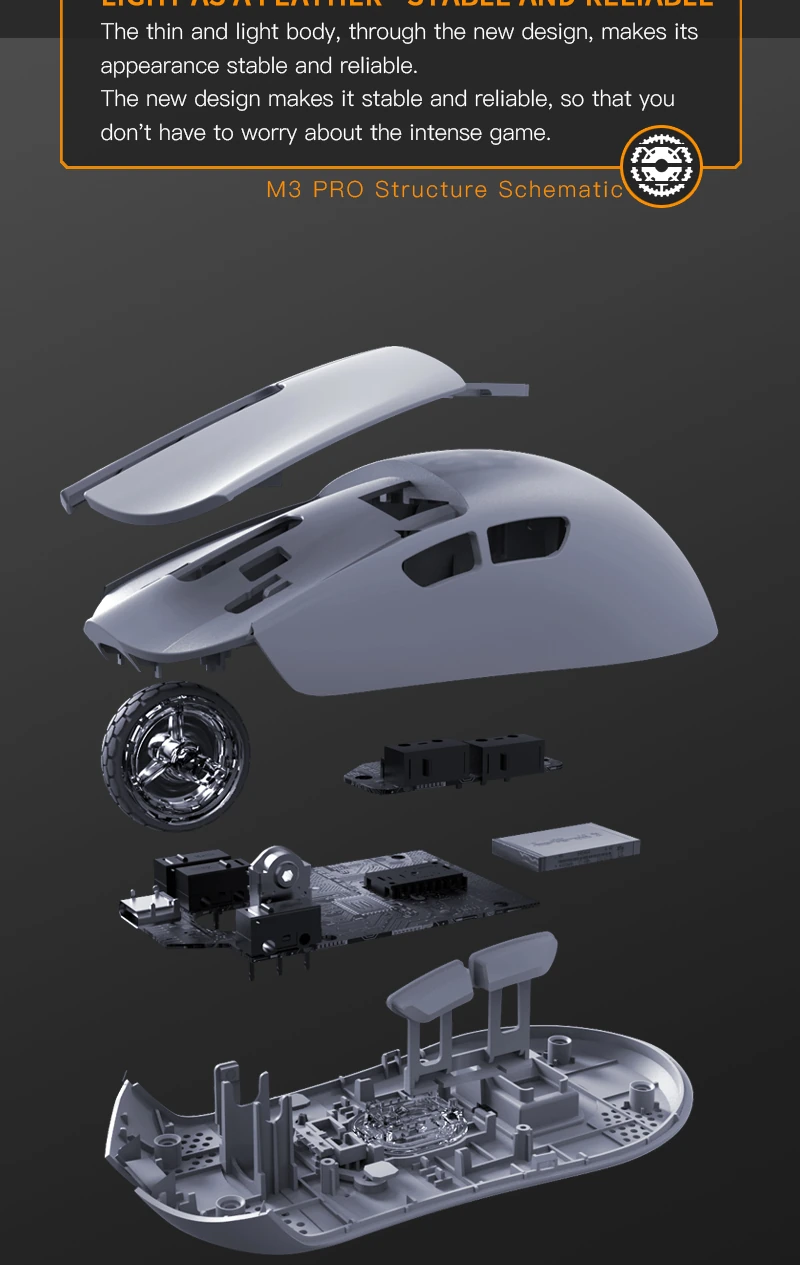
M3 PRO — Exploded body and components — Purple

M3 PROPurple

Exploded body and components

Shape
Full-size symmetrical solid shell
Main switches
Dust-resistant gold-contact mechanical switches
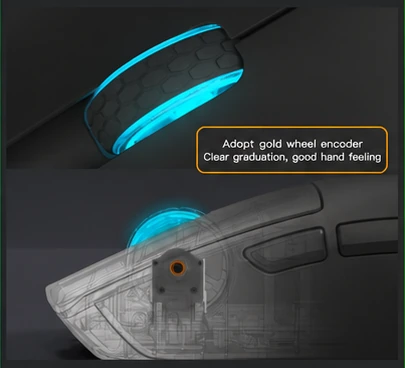
Scroll encoder
Gold wheel encoder

M3 PRO

Sensor & control

The tracking sensor, controller and configurable functions.
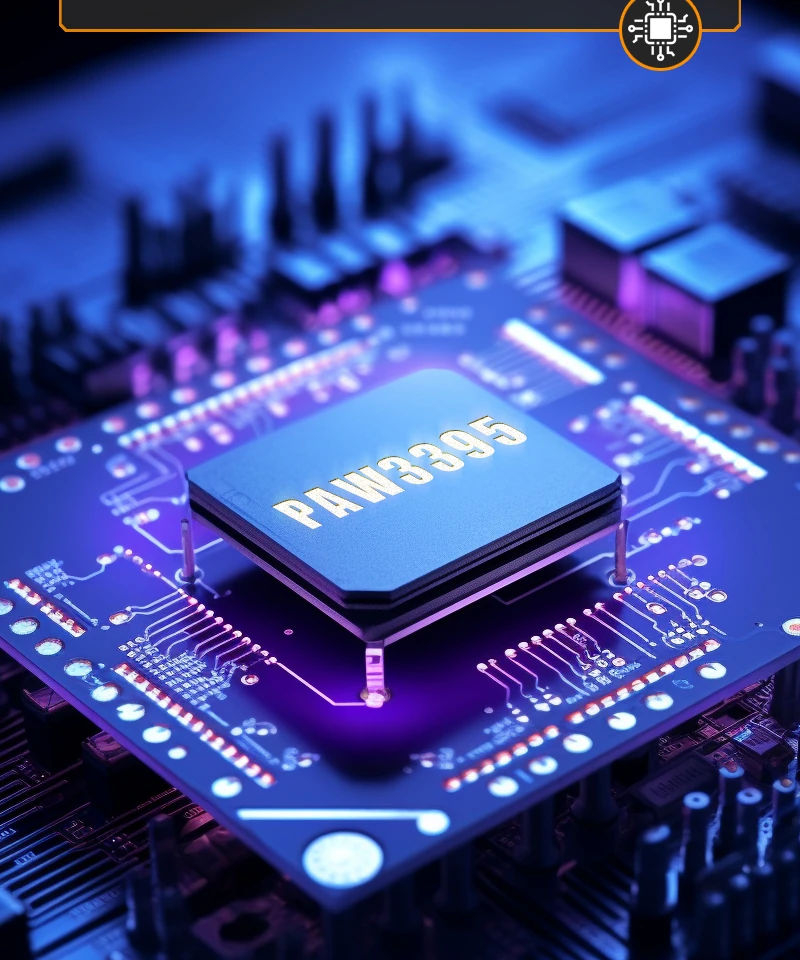
M3 PRO — PAW3395 sensor illustration — Sensor illustration

M3 PROSensor illustration

PAW3395 sensor illustration

Optical sensor
PAW3395
Optical resolution
26,000 DPI
Tracking speed
650 IPS
Acceleration
50 g
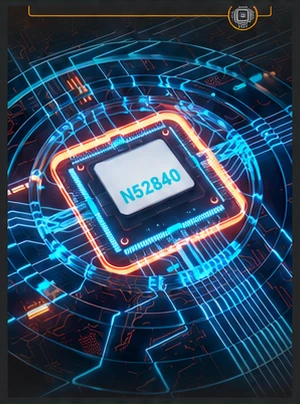
M3 PRO — Controller illustration — Controller illustration

M3 PROController illustration
Controller illustration

Controller
nRF52840
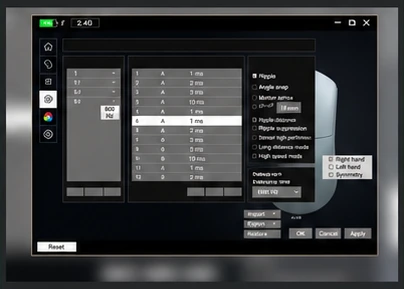
M3 PRO — Driver and macro controls — Software interface

M3 PROSoftware interface

Driver and macro controls

Driver functions
DPI, report-rate settings, macros and custom button programming

M3 PRO

Connection & signal

Receivers, cables and report-rate configurations.
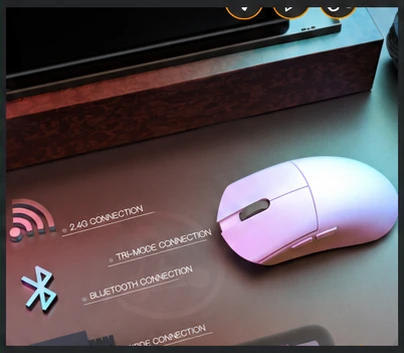
M3 PRO — Bluetooth, wireless and wired modes — Connection illustration

M3 PROConnection illustration

Bluetooth, wireless and wired modes

Connection modes
Bluetooth 5.0 / 2.4 GHz wireless / wired USB-C
USB operation
Plug-and-play wired connection; wired mode takes priority when connected

M3 PRO

Battery & daily use

Battery capacity and runtime under the stated conditions.
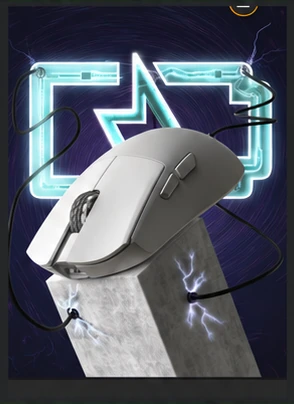
M3 PRO — Battery and silver side profile — White

M3 PROWhite

Battery and silver side profile

Battery
500 mAh rechargeable lithium battery
Maximum listed runtime
Up to approximately 280 hours intermittent use
Continuous runtime
Up to approximately 140 hours
Runtime condition
2.4 GHz at 1,000 Hz, lighting off; intermittent-use figure uses an office-use calculation

Battery life depends on polling rate, lighting and usage. Dimensions and weights are approximate.

M3 PRO

Details, dimensions & packaging

Switches, wheel, buttons, feet and the package configuration.
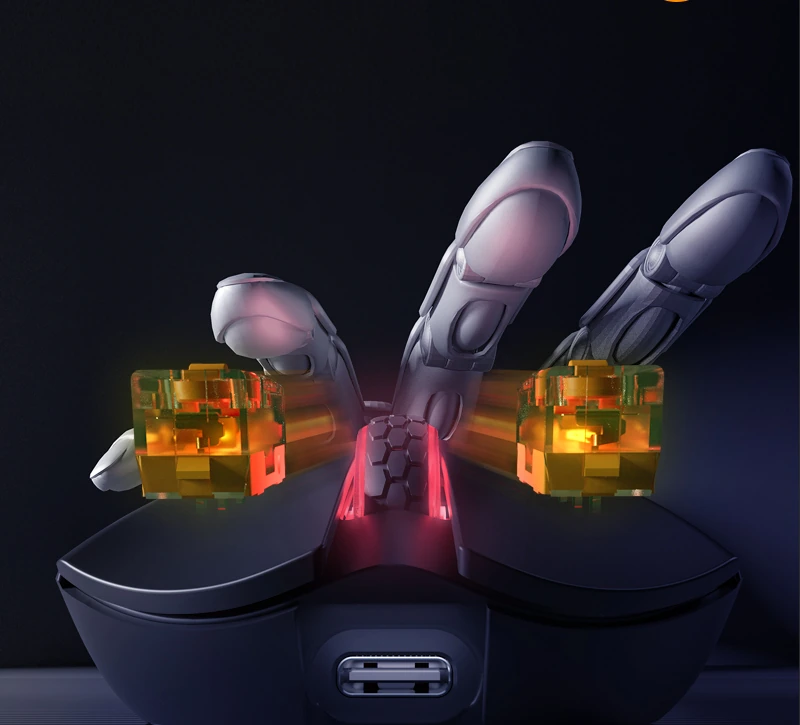
M3 PRO — Mechanical switch construction — Switch illustration

M3 PROSwitch illustration

Mechanical switch construction

Main switches
Dust-resistant gold-contact mechanical switches
Switch lifespan
60 million clicks
M3 PRO — Scroll wheel and RGB lighting — Black

M3 PROBlack

Scroll wheel and RGB lighting

Lighting
RGB scroll-wheel lighting; on / off through driver
Lighting adjustments
255 brightness steps / 255 speed steps / saturation and RGB colour

Battery life depends on polling rate, lighting and usage. Dimensions and weights are approximate.
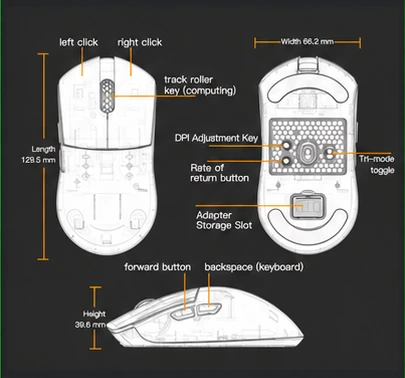
M3 PRO — Dimensions and button positions — White

M3 PROWhite

Dimensions and button positions

Dimensions
129.5 × 66.2 × 39.6 mm
Controls
Left / right / wheel / forward / back; DPI, report-rate and mode controls

COMPLETE SPECIFICATIONS

Every parameter, in one place.

Full parameter sheets for M3 PRO, including dimensions, settings, accessories and configuration conditions.
01

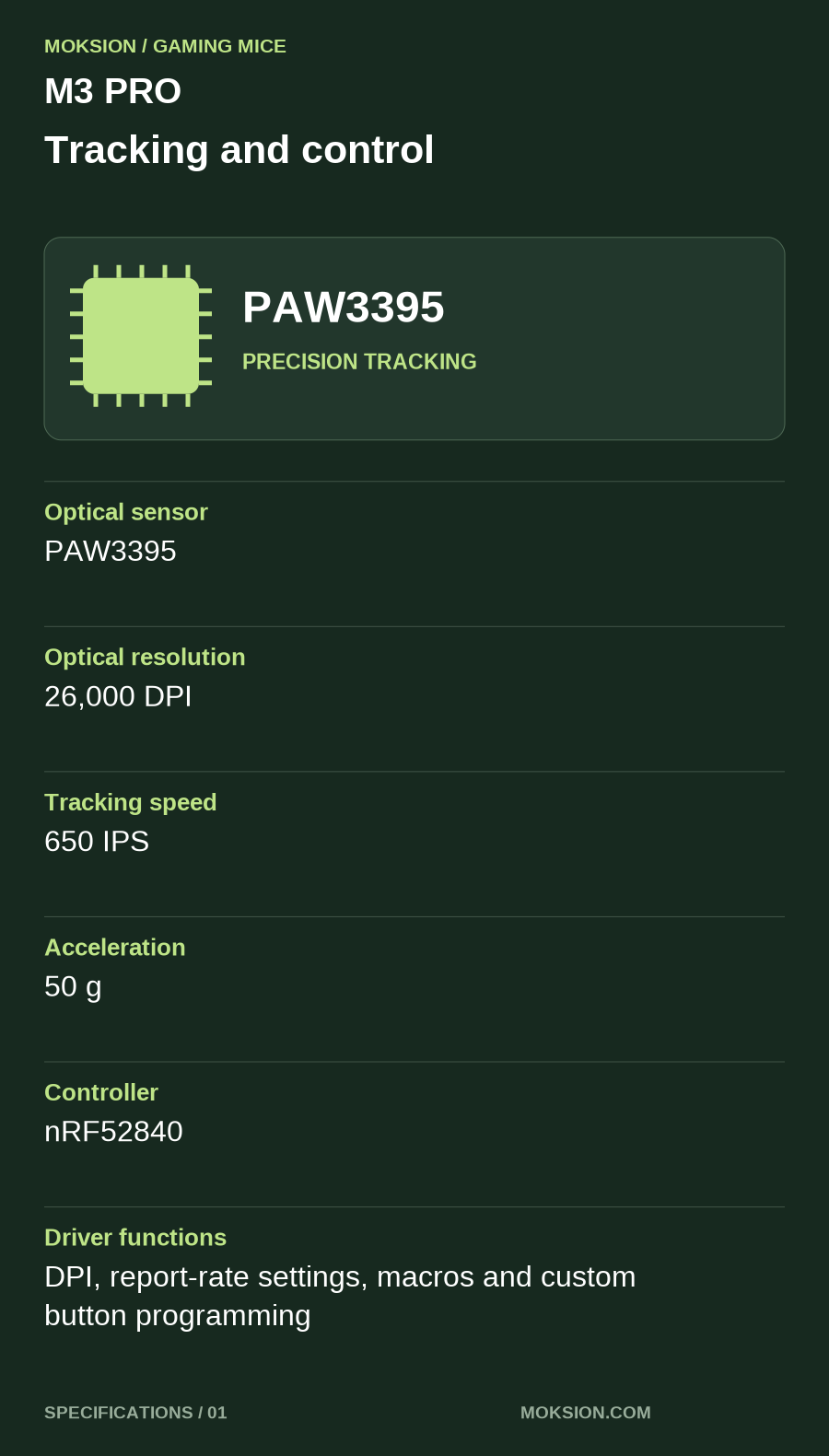
Tracking and control

M3 PRO — Tracking and control detailed parameter image
Open full-size image ↗
View accessible parameter text
Optical sensor
PAW3395
Optical resolution
26,000 DPI
Tracking speed
650 IPS
Acceleration
50 g
Controller
nRF52840
Driver functions
DPI, report-rate settings, macros and custom button programming
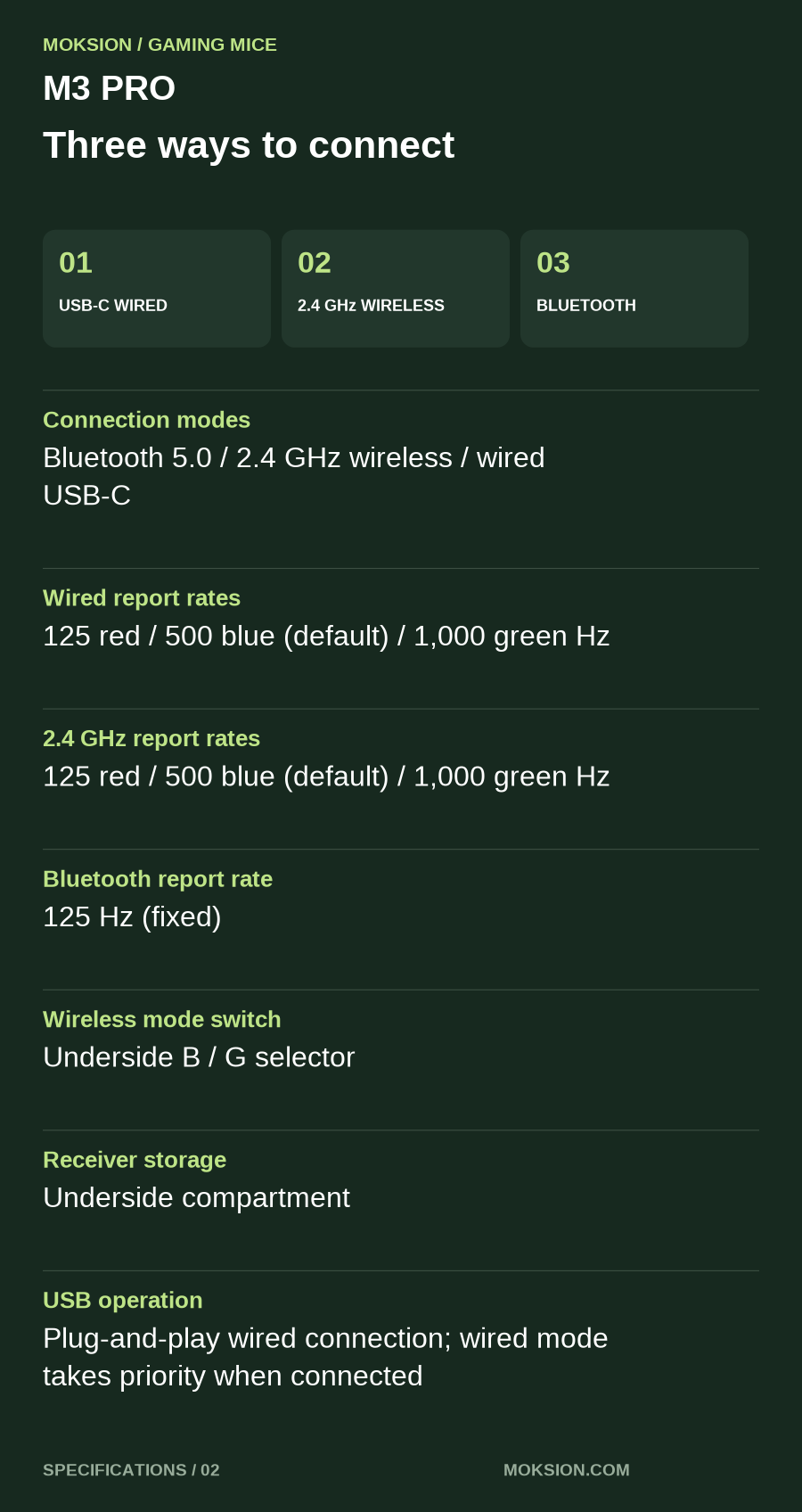
02

Three ways to connect

M3 PRO — Three ways to connect detailed parameter image
Open full-size image ↗
View accessible parameter text
Connection modes
Bluetooth 5.0 / 2.4 GHz wireless / wired USB-C
Wired report rates
125 red / 500 blue (default) / 1,000 green Hz
2.4 GHz report rates
125 red / 500 blue (default) / 1,000 green Hz
Bluetooth report rate
125 Hz (fixed)
Wireless mode switch
Underside B / G selector
Receiver storage
Underside compartment
USB operation
Plug-and-play wired connection; wired mode takes priority when connected
03

Construction and comfort

M3 PRO — Construction and comfort detailed parameter image
Open full-size image ↗
View accessible parameter text
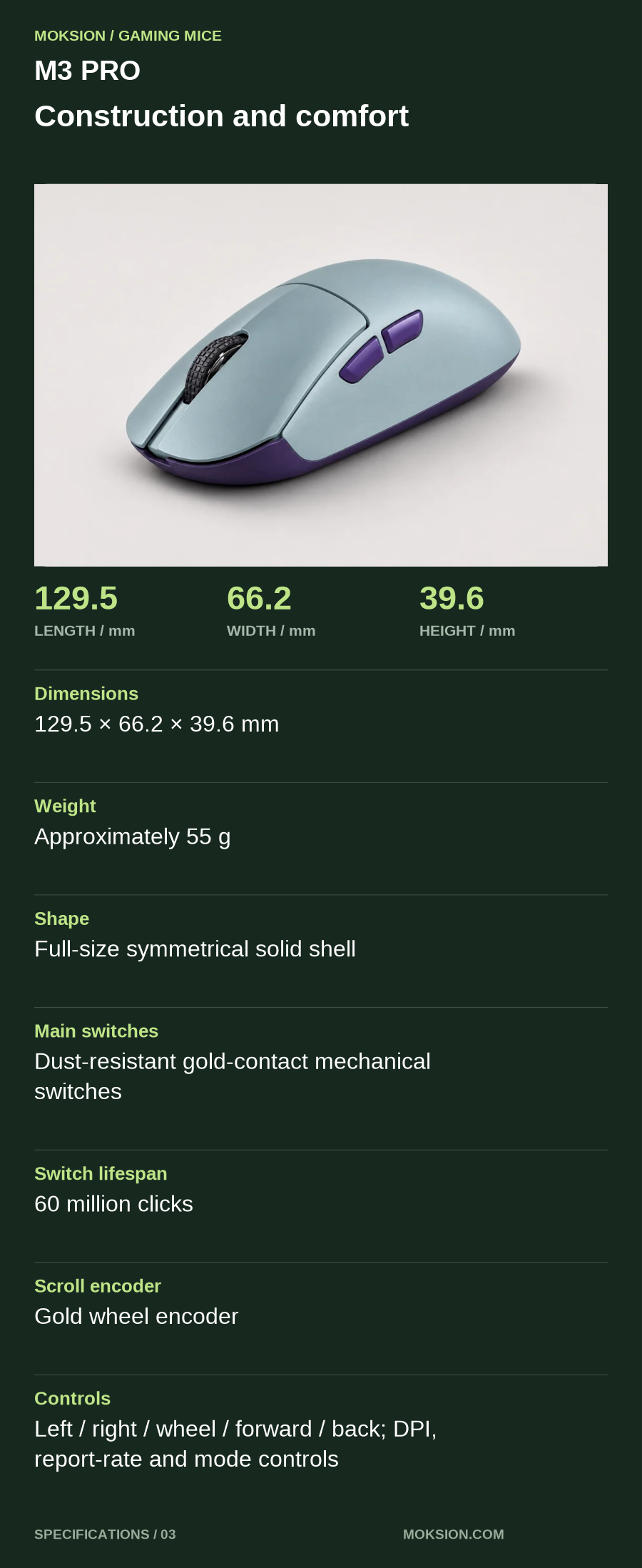
Dimensions
129.5 × 66.2 × 39.6 mm
Weight
Approximately 55 g
Shape
Full-size symmetrical solid shell
Main switches
Dust-resistant gold-contact mechanical switches
Switch lifespan
60 million clicks
Scroll encoder
Gold wheel encoder
Controls
Left / right / wheel / forward / back; DPI, report-rate and mode controls
04

Power and lighting

M3 PRO — Power and lighting detailed parameter image
Open full-size image ↗
View accessible parameter text
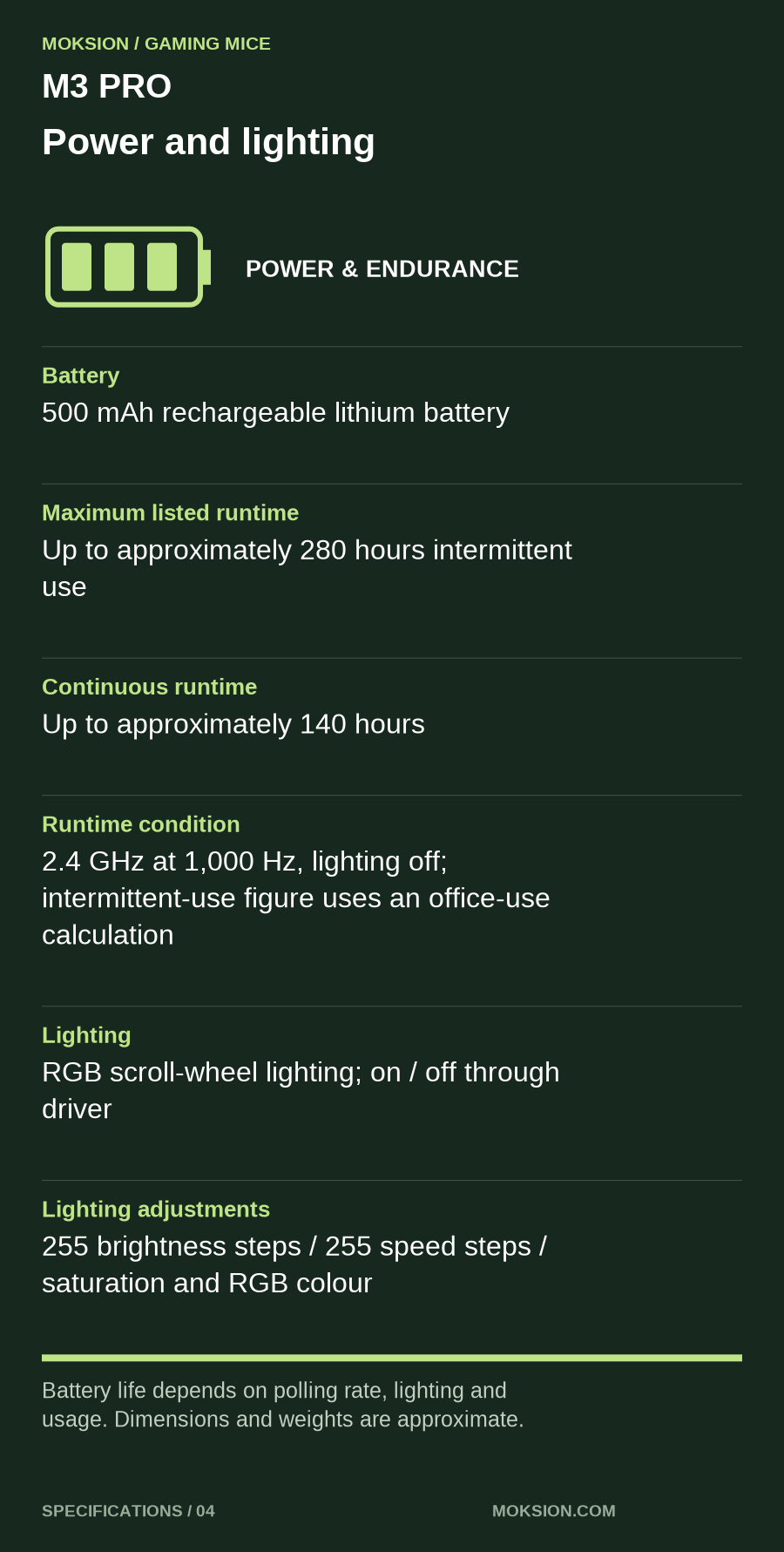
Battery
500 mAh rechargeable lithium battery
Maximum listed runtime
Up to approximately 280 hours intermittent use
Continuous runtime
Up to approximately 140 hours
Runtime condition
2.4 GHz at 1,000 Hz, lighting off; intermittent-use figure uses an office-use calculation
Lighting
RGB scroll-wheel lighting; on / off through driver
Lighting adjustments
255 brightness steps / 255 speed steps / saturation and RGB colour

Battery life depends on polling rate, lighting and usage. Dimensions and weights are approximate.
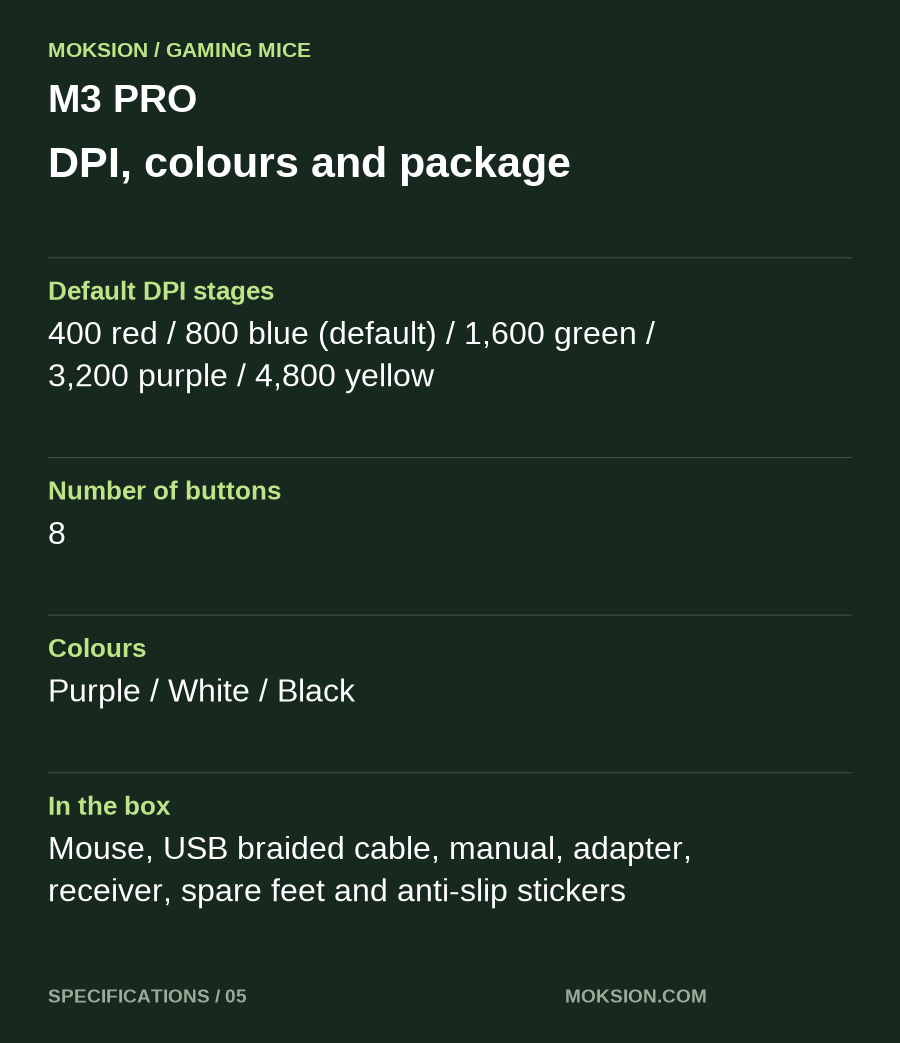
05

DPI, colours and package

M3 PRO — DPI, colours and package detailed parameter image
Open full-size image ↗
View accessible parameter text
Default DPI stages
400 red / 800 blue (default) / 1,600 green / 3,200 purple / 4,800 yellow
Number of buttons
8
Colours
Purple / White / Black
In the box
Mouse, USB braided cable, manual, adapter, receiver, spare feet and anti-slip stickers

Build your M3 PRO project.

Confirm the model, colour, receiver, accessories and sample requirements with our team.

Request specifications and samples ↗

PURCHASING GUIDE

How to purchase this product

For brands, importers, wholesalers and retailers. Initial production orders start at 1,000 units; samples can be evaluated before bulk production.

Selected model: M3 PRO

  1. Confirm your requirements

    Share the model, intended market, estimated quantity and sample needs. Specify the layout, switch or sensor, connectivity, color, logo and packaging requirements relevant to your product.

    Confirm: product model, configuration and customization brief.

  2. Review the proposal and quotation

    Review the available configuration, customization feasibility, minimum order quantity, sample charges, unit price and estimated lead time. The proposal is adjusted to the agreed scope.

    Confirm: quotation scope, costs and estimated schedule.

  3. Evaluate and approve samples

    Where samples are needed, confirm the sample configuration and charges before preparation. Review appearance, feel, function, branding and packaging, and record any changes before approval.

    Confirm: sample feedback and the approved specification.

  4. Confirm the order and payment terms

    Record the product specifications, quantities, pricing, delivery terms, payment schedule and service terms in the quotation, proforma invoice or order agreement before proceeding.

    Confirm: written order details and agreed payment arrangements.

  5. Coordinate production

    After the agreed order conditions are met, coordinate materials, branding and production according to the approved specification. Confirm any specification changes before implementation.

    Confirm: production specification, artwork and change approvals.

  6. Review inspection and packing

    Agree the inspection scope and acceptance criteria for the order. Review the relevant functional and appearance checks, packaging, labels and quantities before arranging dispatch.

    Confirm: inspection requirements, packing and shipment readiness.

  7. Arrange shipment and documents

    Confirm the shipping method, destination, freight responsibilities and required shipping documents. Coordinate dispatch under the agreed delivery terms and share available shipment information.

    Confirm: shipping details, documents and delivery responsibilities.

  8. Receive goods and follow up

    Check the delivered quantity and product condition on receipt. For questions or reported issues, provide the model, order reference and supporting photos or videos for review under the agreed service terms.

    Confirm: receipt feedback and any follow-up actions.

MOKSION / FACTORY DIRECT

Start your keyboard or mouse project.

OEM/ODM manufacturing and bulk supply for brands, importers, wholesalers and retailers. Initial production orders start at 1,000 units; samples are available for evaluation.

Fill in an enquiry

WHATSAPP

Scan the QR code or click it to contact our factory team directly.

MOKSION WhatsApp QR code

Request a bulk quote or samples

Selected model: M3 PRO

Tell us what you source and where you sell. Initial production orders: 1,000 units minimum. Sample requests are welcome; costs and availability are confirmed separately.

We reply by email. You can also contact us on WhatsApp · contact@moksion.com